Review due dates and reminders
Set a deadline when you share an asset, and let Aligno chase the reviewer for you.
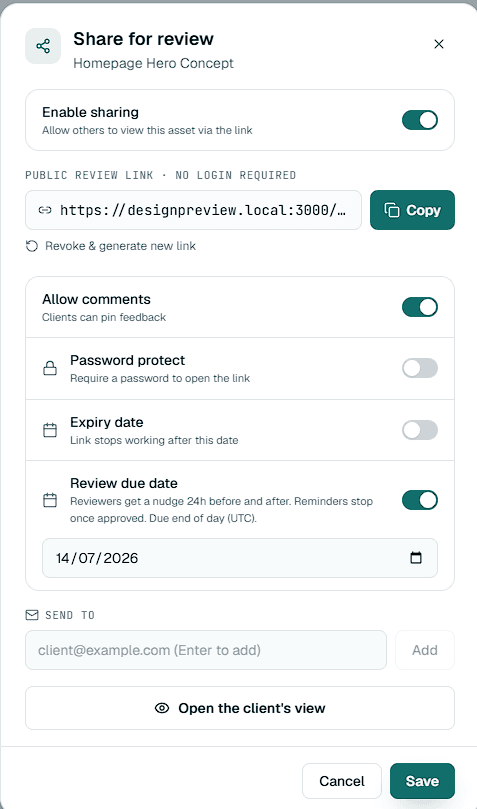
Setting a due date
On a paid plan you can add a review due date when you share an asset by email. The date has to be in the future and before the share link expires, so a reminder never points at a link that has already closed.
How reminders work
Once a due date is set, Aligno emails the reviewer automatically as the deadline gets close and again if it passes without a decision. You also receive an overdue digest that lists the reviews still waiting, so you know what is open without sending the follow-up yourself.
Changing or clearing a date
Moving the due date re-arms the reminders around the new date. Reviewers can opt out of reminders from any reminder email, and uploading a new version does not restart the schedule on its own.