Team collaboration
Bring your team into one account so every client review lives in the same place, under one plan and one bill.
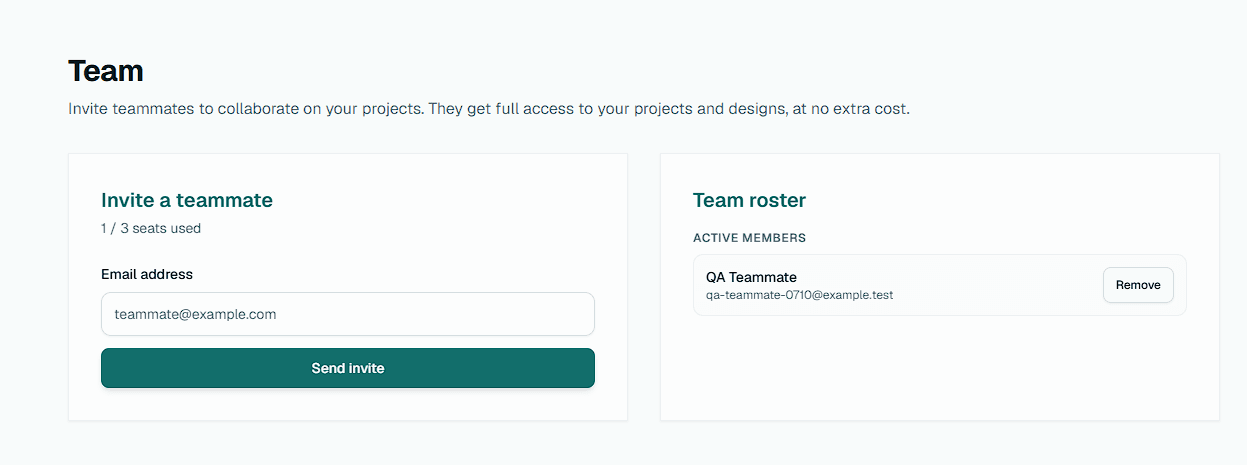
Inviting teammates
On a paid plan you can invite people to collaborate on your account. An invited teammate becomes a full collaborator: they work inside your projects and assets, share your plan limits, and their work is saved under your account rather than their own.
Seats depend on your plan. Pro includes up to 3 team members and Studio up to 10. The free plan is single-user.
What collaborators can do
Collaborators can create projects and assets, share review links, manage feedback, and export comments and decisions, all as if they were the account owner. Using a connected integration, such as syncing an existing Figma import, also works for collaborators.
What stays with the owner
A few things are limited to the account owner: billing and plan changes, account deletion, inviting or removing teammates, and connecting or disconnecting integrations (Slack, Figma, and Zapier API keys). Custom branding is set by the owner and inherited by the whole team.